

/image%2F0881799%2F20150718%2Fob_bae49d_980x285-ct.jpg)
[SCCM] Upgrade SCCM 1511 to SCCM 1606 without Powershell Script
Most of the users started to look for the script to get the 1606 update. I believe this script is not required anymore. You cannot download it as it has been removed from downloads by Microsoft. Microsoft announced in the blog post that the update is now globally available to all customers. The script to enable the first wave is no longer necessary.
So if you are not seeing the update 1606 in updates and servicing node, here’s how you can get it. Starting with Configuration Manager 1602, when you right click on Updates and Servicing node, you see an option called Check for Updates. This option is not available if you are running SCCM 1511. So to begin the download process, open services console on site server and restart the SMS_EXECUTIVE service once.
 Open the dmpdownloader.log file. When you restart smsexec service you see the below lines in log file.
AdminUI Content Download thread is exiting.
FastDownload thread exited.
EasySetupDownload thread exited.
AdminUI Content Download thread exited.
SMS_DMP_DOWNLOADER is exiting.
Notice that after few minutes, the download process starts. The required files are downloaded.
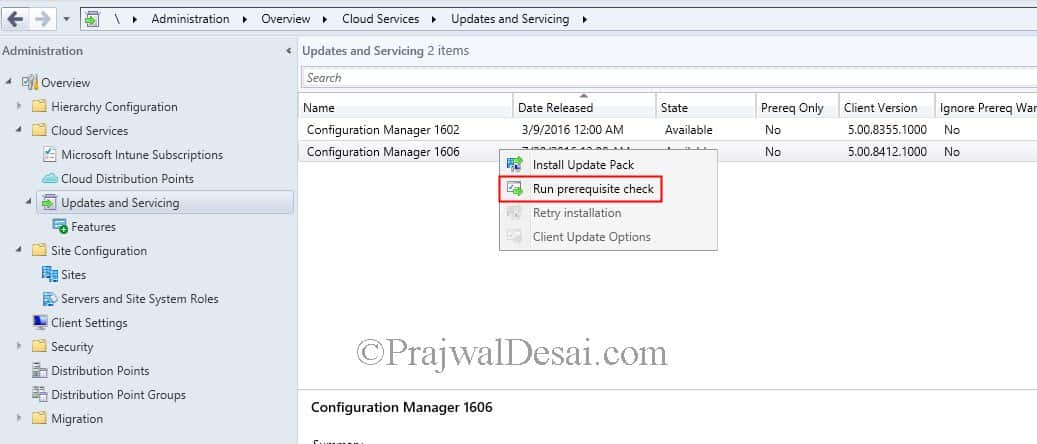
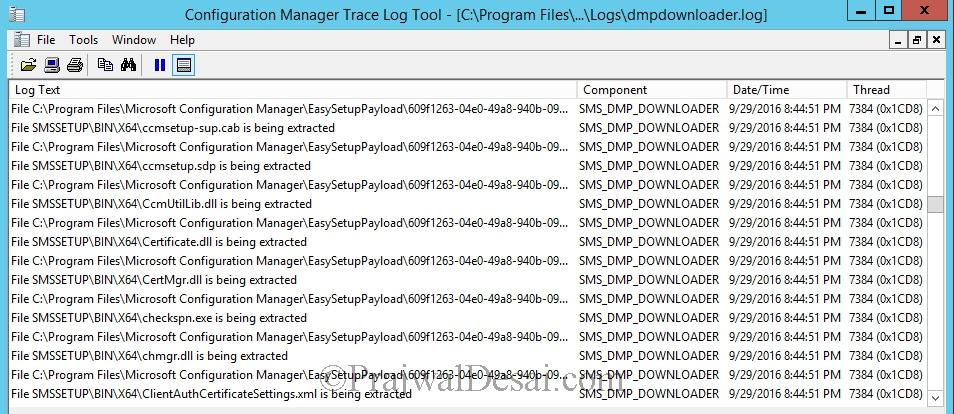 When you refresh the updates and servicing node you see that Configuration Manager 1606 update state shows downloading. You need to be patient here until the update is downloaded.
 Once again dmpdownloader.log file is really useful in checking the download progress. In the below screenshot you see the the download is complete.
 You are now ready to install the update. So to all those who say starting smsexec service won’t help, this posts should help :).
/image%2F0881799%2F20140610%2Fob_a8c7fe_logo2.jpg)
Commenter cet article