

/image%2F0881799%2F20150718%2Fob_bae49d_980x285-ct.jpg)
Convert .gho (Ghost) image to .vhd (Virtual Hard Disk)
(A little thanks for you is a big gift for me)
How to convert a .gho image (Ghost file) to a .vhd (Virtual Hard Disk), P2V for Hyper-V!
Open Disk Management, right click Open Disk Management choose ‘Create VHD’, specify the virtual hard disk location:

Right-click the new disk in Disk Management, and select Initialize Disk:

Yeah it’s online:

Still in Windows, start Ghost DOS version (Ghost32.exe), and do a Disk From Image restore: (Local –> Disk–> From Image)

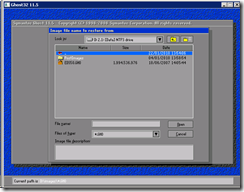
Select the .gho Ghost file:
Choose where to apply the image. We apply the image on the newly created Virtual Hard Disk (VHD file we just created):


You have a VHD file, converting done.
source: http://esense.be/33/2010/01/22/convert-gho-ghost-image-to-vhd-virtual-hard-disk/
/image%2F0881799%2F20140610%2Fob_a8c7fe_logo2.jpg)
Commenter cet article